
caip caip
v0.2.2 — macOS 14+ · Intel + Apple Silicon

copyAIpaste

Select any text. Press a hotkey. Get it rewritten in place.
A 700 KB native macOS menubar app that turns OpenRouter's 350+ models into one-shot keyboard shortcuts.

Download for macOS — or build from source View source
grammar-fix · ⌥⌘G
select Their going to the meating tomorow, can you forward the agender to evryone please.
press G
They're going to the meeting tomorrow. Can you forward the agenda to everyone, please?
The app

One window.
Three things to set up.

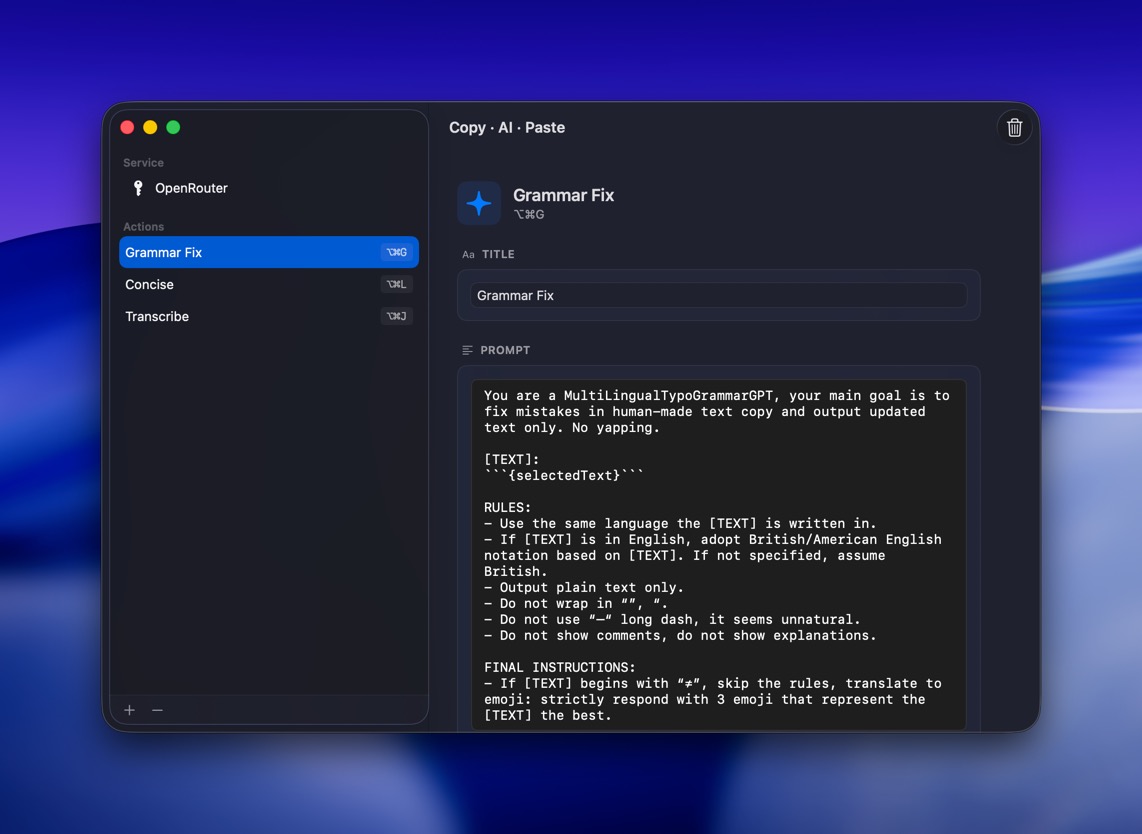
Sidebar of actions. OpenRouter key + model on top. A prompt editor for each shortcut. That's the whole app.
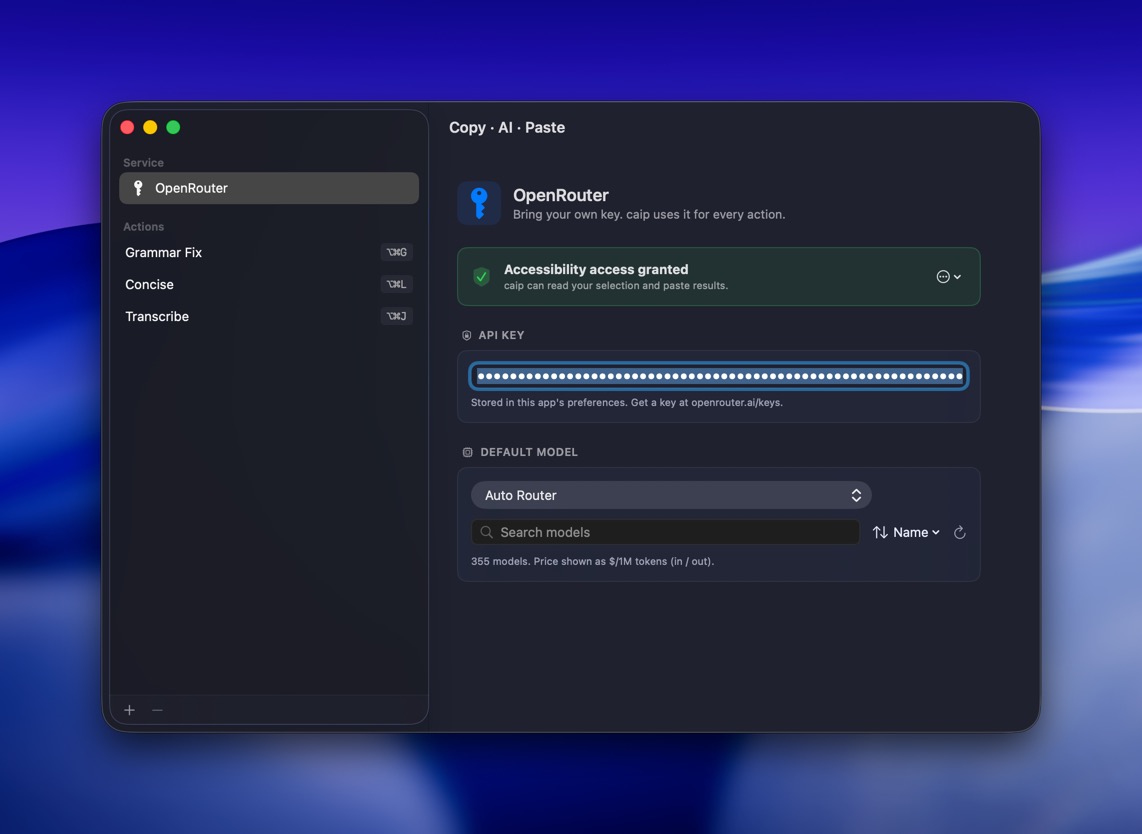
caip OpenRouter pane: API key, default model, actions sidebar
OpenRouter · API key + default model + 350 models to pick from
caip action editor: title, prompt template, shortcut
Action editor · title, prompt template, hotkey

Three things, done well.

No subscription. No telemetry. No floating window. Just a hotkey, a model, and the text in your selection.

01

Native, not Electron.

SwiftUI + AppKit. ~700 KB on disk. No background services. No always-on hotkey daemon. Boots before you can blink.

arm64 · 700 KB
02

Hotkey-first.

Any combination of ⌃⌥⇧⌘ plus a key, or a standalone F-key. Each action gets its own shortcut and prompt — grammar fix, translate, summarize, whatever you wire up.

⌃⌥⇧⌘ · F1–F20
03

Your model, your key.

OpenRouter under the hood. 350+ models from OpenAI, Anthropic, Google, Meta, Mistral, DeepSeek and more. Sort by price, context, or recency. Pick the one you trust.

350+ models

How it works.

i

Select text

In any app — browser, terminal, Slack, Mail, Notes.

ii

Press the hotkey

caip sends ⌘C and reads your pasteboard.

iii

Prompt fires

Your selection is substituted into the action's prompt template.

iv

Model responds

OpenRouter routes to your chosen model. Result lands on the pasteboard.

v

Paste in place

caip sends ⌘V. Your selection becomes the AI's output.

Changelog

All releases
  1. v0.2.2

    Update checker

    • Auto-checks GitHub Releases once a day. Non-blocking alert with Open / Later / Skip.
    • New Check for Updates… menubar item for manual triggers.
    • Zero deps, ~115 lines of Swift. One HTTPS call to api.github.com per day, no telemetry.
  2. v0.2.1

    Universal binary, macOS 14 minimum

    • Intel + Apple Silicon — ships as a universal binary (x86_64 + arm64). build.sh works on Command Line Tools, no full Xcode needed.
    • macOS 14 (Sonoma) minimum, down from 15. macOS-15-only SwiftUI APIs swapped for portable equivalents.
    • Thanks to @iSevenDays for both fixes (PR #1, PR #2).
  3. v0.2.0

    Direct providers + Launch at Login

    • OpenAI · Anthropic · Z.AI · Kimi as first-class providers alongside OpenRouter, Ollama, LM Studio, Jan.
    • Provider picker grouped into Cloud · Local · Custom. Each preset seeds base URL + key requirement.
    • Launch at Login toggle (SMAppService). Drag caip.app to /Applications first.
    • AI result stays on the clipboard after paste.
    • Floating Toast notifications instead of blocking alerts.
  4. v0.1.0

    Initial release

    • Native macOS menubar app, glyph, no Dock icon, ~1 MB zip.
    • Per-action global hotkeys via Carbon + a CGEvent tap recorder that catches combos other apps grab globally.
    • OpenRouter under the hood — 350+ models, sort by price / context / recency.
    • Prompt placeholder {selectedText}.
    • macOS 15+, Apple Silicon.

Keep your hands on the keyboard.

Twelve files of Swift. One window. No subscription page. Open the menubar, set a prompt, bind a key, get back to writing.

Download caip